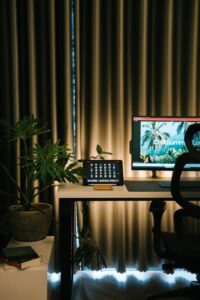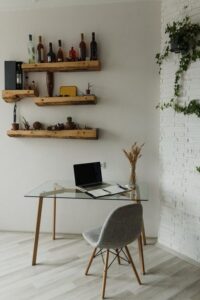
Tips for Creating a Cozy and Inviting Home Workspace

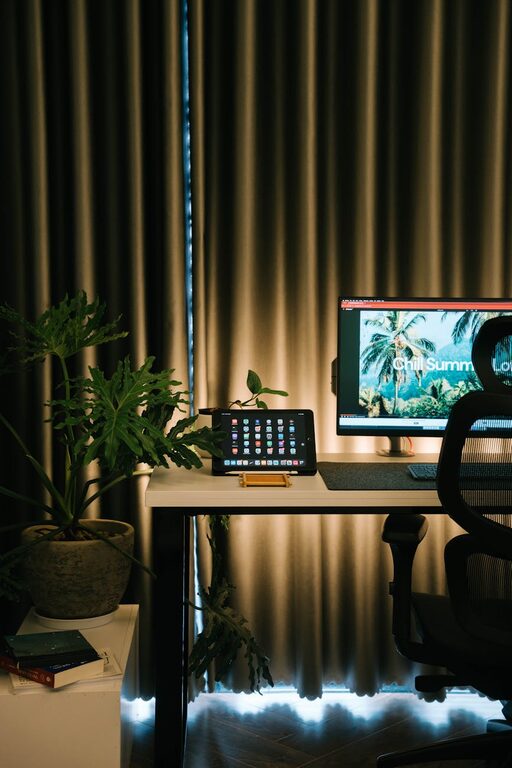
Creating a cozy and inviting home workspace is essential for staying motivated, comfortable, and focused while working from home. Whether you’re setting up a spot for remote work, studying, or creative projects, a well-designed workspace can make a big difference in your mindset and productivity. Here are some helpful tips to transform any corner of your home into a warm and inspiring workspace.
Choose the Right Location
Selecting the right spot in your home is the first step. Ideally, pick a space with:
– Good natural lighting: Near a window to boost mood and reduce eye strain.
– Minimal distractions: Away from high-traffic areas or noisy appliances.
– Enough room: To fit your desk, chair, and storage without feeling cramped.
If space is limited, consider multi-functional areas or nooks that can be adapted with portable solutions.
Invest in Comfortable Furniture
Ergonomics plays a key role in comfort and focus.
– Desk: Choose a desk with enough surface area for your computer and essentials. Adjustable height desks are great if you want to switch between sitting and standing.
– Chair: Opt for an ergonomic chair that supports your back. If you already have a chair, adding a lumbar cushion can help.
– Footrest: If your feet don’t comfortably reach the floor, a footrest can improve posture.
Comfort isn’t a luxury—it’s a necessity for productive work sessions.
Personalize Your Space
Adding personal touches makes your workspace more welcoming.
– Decorate with items you love: Photos, artwork, or souvenirs that bring positive memories.
– Incorporate colors you enjoy: Soft, calming tones like blues and greens promote relaxation, while brighter hues like yellow can boost creativity.
– Add greenery: Plants not only brighten up your area but can also improve air quality and reduce stress.
Keep personalization balanced to avoid cluttering your workspace.
Organize and Declutter
A tidy workspace helps clear your mind.
– Use storage solutions: Shelves, filing cabinets, baskets, or drawer organizers keep supplies in order.
– Limit items on your desk: Keep only frequently used items within reach.
– Practice daily tidying: Spend a few minutes at the end of each day to put things away.
An organized environment encourages focus and efficiency.
Optimize Lighting
Proper lighting reduces eye strain and improves your mood.
– Maximize natural light: Position your desk near windows if possible.
– Add task lighting: A desk lamp with adjustable brightness helps during evening hours or on cloudy days.
– Consider warm light bulbs: Warm LED bulbs create a cozy atmosphere, unlike harsh fluorescent lighting.
Adjust lighting to your needs, ensuring your workspace is always comfortably lit.
Reduce Noise and Distractions
Creating a peaceful atmosphere helps you stay focused.
– Noise-cancelling headphones: Useful if background noise is unavoidable.
– Soft background music: Instrumental or ambient tunes can boost concentration for some people.
– Use rugs or curtains: These can help absorb sound and reduce echoes if you have hard floors.
Experiment to find what sound environment works best for your productivity.
Maintain Proper Temperature and Air Quality
A comfortable temperature keeps you alert and comfortable.
– Control temperature: Use fans, heaters, or open windows to maintain a pleasant climate.
– Improve air quality: Ventilate your workspace regularly and consider adding air-purifying plants.
Good air circulation and temperature support mental clarity.
Incorporate Wellness Breaks
Your workspace should encourage healthy habits.
– Set reminders: Take short breaks to stretch, hydrate, or move around.
– Create a small relaxation spot: A comfy chair or cushion nearby lets you pause when needed.
– Practice mindfulness: A small corner for meditation or deep breathing can reduce stress.
Balancing work and wellness is key to long-term comfort.
Use Technology to Your Advantage
Make your workspace more efficient with smart solutions:
– Cable management: Use clips and covers to keep cords tidy.
– Organize digital files: A clean digital desktop complements your physical workspace.
– Setup dual monitors: Improves multitasking and reduces switching between tabs.
Keeping tech organized reduces frustration and keeps your focus on work.
—
Final Thoughts
Creating a cozy and inviting home workspace is all about combining comfort, organization, and personal style. A well-thought-out workspace can improve mood, focus, and productivity, making working from home more enjoyable. Take small steps like adding plants, investing in comfortable furniture, or optimizing lighting—each change can add up to a positive difference. Remember, your workspace should feel like a place you want to spend time in every day.
With these tips, you’re well on your way to designing a home office that truly works for you. Happy decorating and productive working!