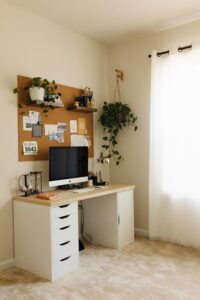
Tips for Creating a Comfortable and Productive Home Workspace

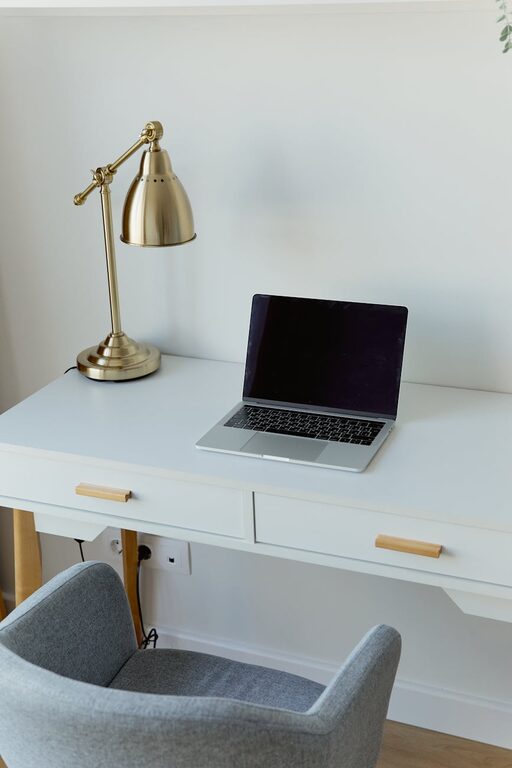
Creating a comfortable and productive home workspace is essential for anyone working remotely or spending time on personal projects. A well-designed space can improve focus, reduce stress, and help you maintain a healthy work-life balance. Whether you’re setting up a workstation in a small corner or a dedicated room, these tips will guide you to make the most of your home office.
Choose the Right Location
Find a Quiet Spot
Select an area of your home that is as quiet as possible. This helps minimize distractions and allows you to concentrate better on your tasks. If you live with others, try to find a place away from common gathering areas such as the kitchen or living room.
Consider Natural Light
Natural light can boost your mood and energy. Position your desk near a window if possible, but avoid placing your computer screen directly in front of or behind the window to prevent glare. If natural light is limited, use good quality, adjustable lighting to keep your space bright and comfortable.
Invest in Comfortable Furniture
Ergonomic Chair
A chair with good lumbar support helps prevent back pain and encourages better posture during long working hours. Adjustable chairs are ideal because you can customize the height and tilt to your comfort.
Appropriate Desk
Choose a desk with enough surface area to hold your computer, notebooks, and other essentials without feeling cluttered. Consider the height of the desk as well — your elbows should rest comfortably at a 90-degree angle when typing.
Organize Your Workspace Efficiently
Declutter Regularly
Keep your workspace tidy by only having frequently used items within reach. Store less-used items in drawers or shelves to maintain a clean and inviting environment.
Use Organizational Tools
Desk organizers, filing cabinets, and cable management solutions can help keep your space neat and reduce visual distractions. Label shelves or boxes to easily locate materials when you need them.
Set Up Your Technology Smartly
Reliable Internet and Equipment
Ensure your internet connection is stable to avoid interruptions. Use equipment like a quality headset, webcam, and keyboard to improve communication and comfort during virtual meetings or calls.
Ergonomic Monitor Setup
Your computer monitor should be at eye level to avoid neck strain. Use a monitor stand or adjustable arm to achieve the right height. Placing the screen about an arm’s length away helps reduce eye strain.
Personalize Your Workspace
Add Inspirational Elements
Incorporate items that motivate you, such as plants, artwork, or photos. Plants can also improve air quality and add a touch of nature, enhancing overall well-being.
Keep Comfort Items Nearby
Have water, a cozy blanket, or a small fan within reach to stay comfortable throughout your workday. Comfort helps you maintain focus and reduces stress.
Establish Boundaries and Routines
Define Work Hours
Set clear start and finish times to help separate work from personal life. Use reminders or alarms if necessary. This practice helps maintain productivity and prevents burnout.
Take Regular Breaks
Incorporate short breaks every hour to stand, stretch, or walk around. This keeps your body refreshed and your mind clear, boosting long-term concentration.
Optimize Sound Environment
Minimize Noise Distractions
Use noise-canceling headphones or play soft background music to drown out distractions. Alternatively, white noise machines can create a consistent sound environment that aids focus.
Communicate Boundaries with Household Members
Let others know your work hours and when you need quiet. Clear communication can reduce interruptions and help maintain a professional atmosphere.
Maintain Good Air Quality and Temperature
Ventilation
Make sure your workspace is well-ventilated to keep the air fresh. Opening a window or using an air purifier can improve air quality and reduce fatigue.
Comfortable Temperature
Adjust the room temperature to a comfortable level. If you find the space too cold or warm, use a portable heater, fan, or adjust your thermostat accordingly.
—
Creating a comfortable and productive home workspace doesn’t require a perfect or expensive setup. By focusing on ergonomics, organization, lighting, and personal comfort, you can build an environment that supports your best work. Remember, small changes can make a big difference in how you feel and perform throughout the day. Happy working!